
Your submissions, your history, one sign-in away.
Your customer account lives at login.averycomicpressing.com. Sign in to check on an order, see everything you've sent us, and send new books without re-typing your details. Here's the whole thing, in order.
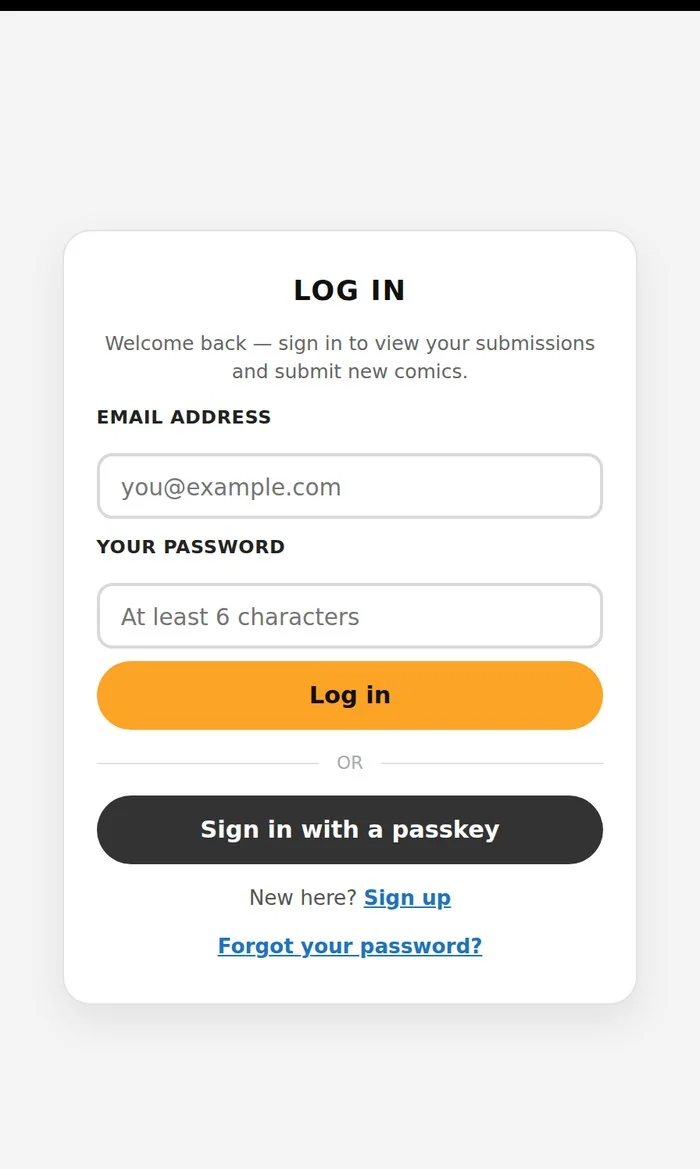
Head to login.averycomicpressing.com, or click the LOG IN link in the site menu.
Use the email address you submit your comics with. It’s your account key — the same address brings your order history up with it.
At least 6 characters, as the field itself tells you.
Tap “Sign in with a passkey” and use your fingerprint, your face, or your device PIN. No password to type and nothing to remember, which makes it the fastest way back in.
Click “Forgot your password?” and we’ll email you a reset link. Set a new one and you’re straight back in.
(The link is only good once — use it before you click it twice.)
Click “Sign up” and register with the email you submit with, so your orders land in the same account from day one.
We posted the same walkthrough over on our Facebook page — handy if you’d rather follow along with the pictures. Your customer account is ready →


